

One of the hassles of reviewing tracked changes in Word is having to individually accept what can be literally hundreds of formatting changes that are unavoidably generated as one edits. The screenshot below shows 7 formatting changes in the right margin.
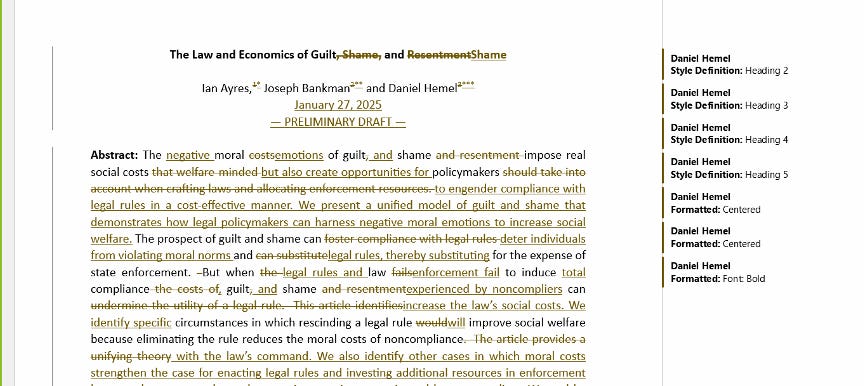
Here’s a three-step hack to get rid of (i.e. accept) all the formatting changes so you can focus on the textual assertions and deletions.
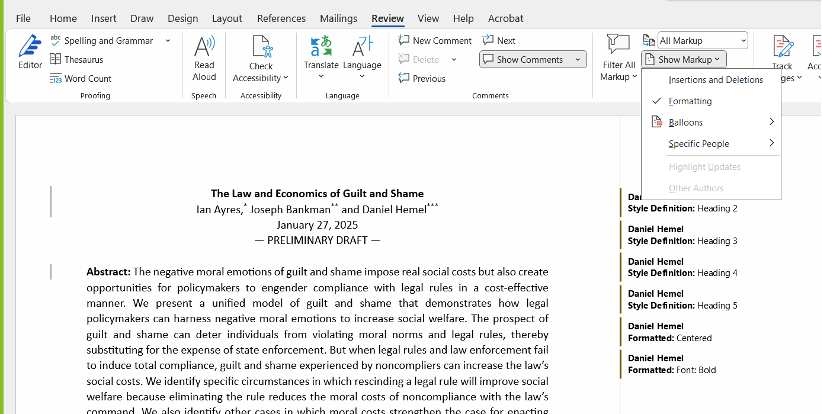
Step One. Click on Review at top, then click on “Show Markup” and then deselect “Insertions and Deletions” (making sure that “Formatting” remains selected) as shown here:
Step Two. Under the “Review” menu, click on downward arrow below “Accept” which will display pull down sub menu and click on “Accept All Changes Shown”:
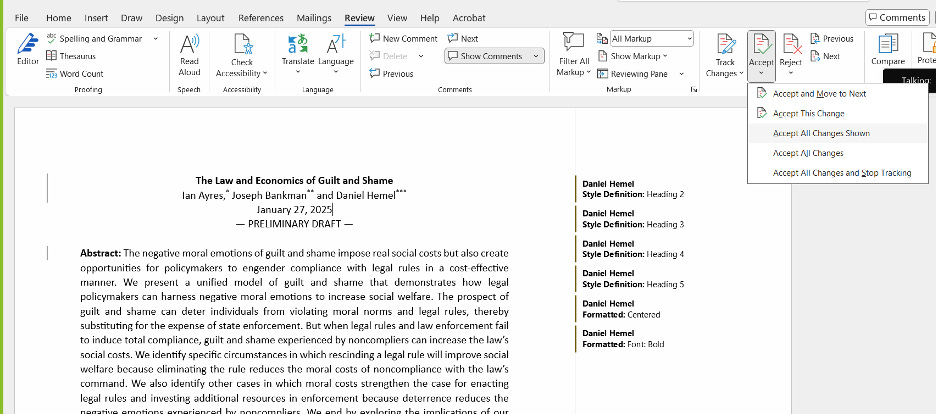
Voila, all the formatting changes in the document will be accepted at once.
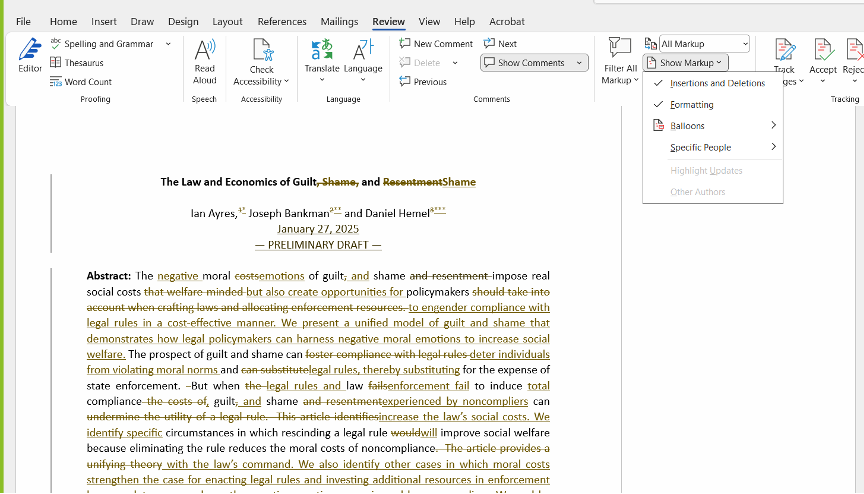
Step 3. Go back to the “Show Markup” menu and reselect “Insertions and Deletions” to redisplay the substantive edits:
I’ve been happily using this hack for a while now. I happened to show a couple of different academic friends the technique and they were surprisingly grateful. So, I decided to share.


